Showing posts with label g920f. Show all posts
Showing posts with label g920f. Show all posts
Thursday, July 28, 2016
How to Root Galaxy S6 SM G920F On Android 6 0 1 Marshmallow XXU3DPDP OTA
Samsung Galaxy S6 SM-G920F Gusers can easily be rooted whilst running any Android 6.0.1 Marshmallow XXU3DPDP OTA [Security Patches / Bug Fixes]. This guide is applicable on all Android 6.0.1 Marshmallow firmware available for the Samsung Galaxy S6.

Don’t worry we are going to share step by step guide to safely Root your Galaxy SM-G920F On Android 6.0.1 Marshmallow XXU3DPDP OTA.
Don’t worry we are going to share step by step guide to safely Root your Galaxy SM-G920F On Android 6.0.1 Marshmallow XXU3DPDP OTA.
View my Flipboard Magazine.
÷ Prerequisites:
•This root method tutorial is only for Galaxy S6. Please make sure you only download the root package for your own model number.
•Make sure you backup all your data in your phone before proceeding as a precaution.
•This root method works with Android 6.0.1 Marshmallow firmwares and all future Android updates as well.
•Your Galaxy S6 should be on an official firmware by Samsung, not a custom ROM.
*Disclaimer:
Android Custom ROM fix ® provide various Firmware Updates and Rooting process along with Custom ROM,Modes,file are all belong to their owners/developers. The autor of this site or the developers are not responsible, if you damage or brick your device.Do it on your own risk and follow the instruction properly.
* Important:
Backup important files stored on your device before proceeding with the steps below, so that in case something goes wrong you’ll have backup of all your important files.

÷ How to Root Galaxy SM-G920F On Android 6.0.1 Marshmallow XXU3DPDP OTA.
Step 1 – Download Auto-Root Package for Samsung Galaxy S6 to your computer and place the file on your desktop.
Step 2 – Download ODIN v3.09 which will help you to root Android 6.0.1 on Samsung Samsung Galaxy S6.
Step 3 – Switch OFF your phone. Now press and hold the Volume Down + Home buttons together, and then press the Power button till you see a warning screen (as shown below). Press Volume Up to confirm and proceed to the Download Mode.
Step 4 – Make sure you have your Samsung Galaxy S6 USB drivers installed on your computer.
Step 5 – Open ODIN on your computer. Connect your phone to your computer while your phone is in the Download Mode.
Step 6 – If your phone is connected successfully, one of the ID:COM boxes will turn yellow with the COM port number. This step might take some time.
Step 7 – Now select the file that you have to flash/install on your phone. This file will be found on the desktop like mentioned in Step 1.
Click on ‘PDA’ or ‘AP’ and select the file.
Step 8 – In ODIN, check the Auto Reboot and F. Reset Time options, if not already.
Step 9 – Now click on the Start button in ODIN. Installation process will start and would take a few minutes to complete.
Step 10 – After the installation is completed, your phone will reboot into Recovery Mode automatically and install the root package / files. Your ID:COM box will also turn green.
Step 11 – After you see the home screen, unplug your phone from the computer.
Step 11 – Pull out the battery to turn OFF the phone forcefully.
Step 12 – Now boot (turn ON your phone) with Volume Up + Home + Power buttons to go directly into Recovery Mode manually. This will start the install process of rooting your phone.

That’s it! Your Samsung Galaxy S6 has now been rooted on Android 6.0.1 official software update. Check for the SuperSU app in your apps list to verify.
For More Samsung Galaxy S6 Updates Keep Checking Android Custom ROM Fix ™®
Like this post? PLZ Hit the share buttons below to share this article with your friends on Facebook, Google + and Twitter.
PLZ Follow Us On Flipboard 4 More Latest Updates.
PLZ Use the comment box below to contribute more ideas & Suggestions .
Best Regards.
÷ Prerequisites:
•This root method tutorial is only for Galaxy S6. Please make sure you only download the root package for your own model number.
•Make sure you backup all your data in your phone before proceeding as a precaution.
•This root method works with Android 6.0.1 Marshmallow firmwares and all future Android updates as well.
•Your Galaxy S6 should be on an official firmware by Samsung, not a custom ROM.
*Disclaimer:
Android Custom ROM fix ® provide various Firmware Updates and Rooting process along with Custom ROM,Modes,file are all belong to their owners/developers. The autor of this site or the developers are not responsible, if you damage or brick your device.Do it on your own risk and follow the instruction properly.
* Important:
Backup important files stored on your device before proceeding with the steps below, so that in case something goes wrong you’ll have backup of all your important files.
÷ How to Root Galaxy SM-G920F On Android 6.0.1 Marshmallow XXU3DPDP OTA.
Step 1 – Download Auto-Root Package for Samsung Galaxy S6 to your computer and place the file on your desktop.
Step 2 – Download ODIN v3.09 which will help you to root Android 6.0.1 on Samsung Samsung Galaxy S6.
Step 3 – Switch OFF your phone. Now press and hold the Volume Down + Home buttons together, and then press the Power button till you see a warning screen (as shown below). Press Volume Up to confirm and proceed to the Download Mode.
Step 4 – Make sure you have your Samsung Galaxy S6 USB drivers installed on your computer.
Step 5 – Open ODIN on your computer. Connect your phone to your computer while your phone is in the Download Mode.
Step 6 – If your phone is connected successfully, one of the ID:COM boxes will turn yellow with the COM port number. This step might take some time.
Step 7 – Now select the file that you have to flash/install on your phone. This file will be found on the desktop like mentioned in Step 1.
Click on ‘PDA’ or ‘AP’ and select the file.
Step 8 – In ODIN, check the Auto Reboot and F. Reset Time options, if not already.
Step 9 – Now click on the Start button in ODIN. Installation process will start and would take a few minutes to complete.
Step 10 – After the installation is completed, your phone will reboot into Recovery Mode automatically and install the root package / files. Your ID:COM box will also turn green.
Step 11 – After you see the home screen, unplug your phone from the computer.
Step 11 – Pull out the battery to turn OFF the phone forcefully.
Step 12 – Now boot (turn ON your phone) with Volume Up + Home + Power buttons to go directly into Recovery Mode manually. This will start the install process of rooting your phone.
That’s it! Your Samsung Galaxy S6 has now been rooted on Android 6.0.1 official software update. Check for the SuperSU app in your apps list to verify.
For More Samsung Galaxy S6 Updates Keep Checking Android Custom ROM Fix ™®
Like this post? PLZ Hit the share buttons below to share this article with your friends on Facebook, Google + and Twitter.
PLZ Follow Us On Flipboard 4 More Latest Updates.
PLZ Use the comment box below to contribute more ideas & Suggestions .
Best Regards.

Tuesday, July 26, 2016
How To Update Galaxy S6 SM G920F to Marshmallow 6 0 1 June XXU3DPDP OTA Security Patches Bug Fixes
Today Samsung Currently Pushing XXU3DPDP Update to the Galaxy S6 - SM-G920F on its network (Italy) that includes a security update, as well as now displaying which security patch your phone has and bug fixes. It is recommended you keep your device updated to the latest software so that you don’t experience any flaws or drops in reliability.

G920FXXU3DPDP is based on the latest Marshmallow 6.0.1 for the Galaxy S6 - SM-G920F.
Follow our guide below to download the update and install it yourself.
The Update brings the following changes:
•The security of your device has been improved.
•Device stability improvements, bug fixes.
•New and / or enhanced features.
•Further improvements to performance.
| Model | SM-G920F |
| Model name | Galaxy S6 |
| Country | Italy (Wind) |
| Version | Android 6.0.1 |
| Changelist | 7884513 |
| Build date | Fri, 22 Apr 2016 07:17:20 +0000 |
| Security Patch Level | 2016-05-01 |
| Product code | WIN |
| PDA | G920FXXU3DPDP |
| CSC | G920FWIN3DPD2 |
View my Flipboard Magazine.
*Disclaimer:
Custom ROM fix ® provide various Firmware Updates and Rooting process along with Custom ROM,Modes,file are all belong to their owners/developers. The autor of this site or the developers are not responsible, if you damage or brick your device.Do it on your own risk and follow the instruction properly.
* Important:
Backup important files stored on your device before proceeding with the steps below, so that in case something goes wrong you’ll have backup of all your important files.
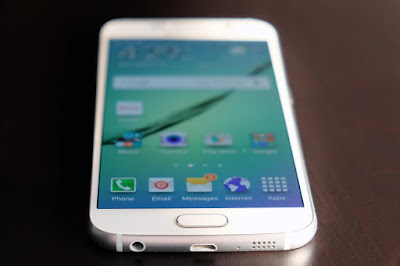
How To Update Galaxy S6 - SM-G920F to Marshmallow 6.0.1 June XXU3DPDP OTA [Security Patches / Bug Fixes]
Download Samsung Galaxy S6 - SM-G920F XXU3DPDP Firmware .
1- Extract (unzip) the firmware file
2- Download Odin v3.10.7
3- Extract Odin ZIP file
4- Open Odin v.3.10.6
5- Reboot Phone in Download Mode (press and hold Home + Power + Volume Down buttons)
6- Connect phone and wait until you get a blue sign in Odin
7- Add the firmware file to AP / PDA
Make sure re-partition is NOT ticked
8- Click the start button, sit back and wait few minutes.
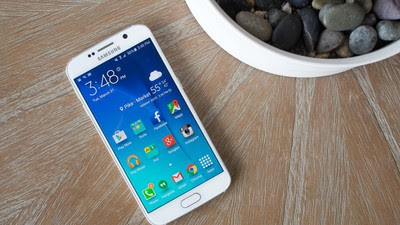
That’s it! Your Galaxy S6 - SM-G920F should now have Marshmallow 6.0.1 XXU3DPDP on your phone! Go to Settings > About phone to verify.
Like this post? PLZ Hit the share buttons below to share this article with your friends on Facebook, Google + and Twitter.
PLZ Follow Us On Flipboard 4 More Galaxy S6 - SM-G920F Latest Updates.
PLZ Use the comment box below to contribute more ideas & Suggestions .
Best Regards.
*Disclaimer:
Custom ROM fix ® provide various Firmware Updates and Rooting process along with Custom ROM,Modes,file are all belong to their owners/developers. The autor of this site or the developers are not responsible, if you damage or brick your device.Do it on your own risk and follow the instruction properly.
* Important:
Backup important files stored on your device before proceeding with the steps below, so that in case something goes wrong you’ll have backup of all your important files.
How To Update Galaxy S6 - SM-G920F to Marshmallow 6.0.1 June XXU3DPDP OTA [Security Patches / Bug Fixes]
Download Samsung Galaxy S6 - SM-G920F XXU3DPDP Firmware .
1- Extract (unzip) the firmware file
2- Download Odin v3.10.7
3- Extract Odin ZIP file
4- Open Odin v.3.10.6
5- Reboot Phone in Download Mode (press and hold Home + Power + Volume Down buttons)
6- Connect phone and wait until you get a blue sign in Odin
7- Add the firmware file to AP / PDA
Make sure re-partition is NOT ticked
8- Click the start button, sit back and wait few minutes.
That’s it! Your Galaxy S6 - SM-G920F should now have Marshmallow 6.0.1 XXU3DPDP on your phone! Go to Settings > About phone to verify.
Like this post? PLZ Hit the share buttons below to share this article with your friends on Facebook, Google + and Twitter.
PLZ Follow Us On Flipboard 4 More Galaxy S6 - SM-G920F Latest Updates.
PLZ Use the comment box below to contribute more ideas & Suggestions .
Best Regards.
How to Update Galaxy S6 SM G920F to Android 6 0 1 Marshmallow Vova ROM
According to XDA member vovadvnovlineru, Android 6.0.1 Marshmallow Vova ROM is released for Samsung Galaxy S6 SM-G920F.

÷ ROM Features:
Deleted trash
The extended menu of reboot/ser in Russian version/
Removed a warning about high volume
All languages/120/
Added Wallpaper of A5 S7
Dialer without delay after the call/wave/
Increased volume everywhere...
Button in favorites
Added time backlight
Display mode
Applock
Double SmartManager work all the tabs
Record button
Switching tracks with volume buttons when the screen zablokirovanii
New Viper
Disable camera shutter sound
And more....
View my Flipboard Magazine.
÷ Prerequisites:
This tutorial is only for installing Vova Android 6.0.1 ROM on Samsung Galaxy S6 SM- G920F. Please do not try on any other Galaxy S6 variants.
•Your phone should be rooted and have ClockworkMod recovery installed from before.
•This tutorial will wipe out all your data. Proceed at your own risk.
•Perform a Dalvik Cache wipe before proceeding from the recovery mode.
•Samsung KIES will NOT detect your phone after installing this ROM because it is a custom firmware.
•Make sure you backup all your data in your phone before proceeding.
*Disclaimer:
Android Custom ROM fix ® provide various Firmware Updates and Rooting process along with Custom ROM,Modes,file are all belong to their owners/developers. The autor of this site or the developers are not responsible, if you damage or brick your device.Do it on your own risk and follow the instruction properly.
* Important:
Backup important files stored on your device before proceeding with the steps below, so that in case something goes wrong you’ll have backup of all your important files.

÷How to Update Galaxy S6 SM-G920F to Android 6.0.1 Marshmallow Vova ROM:
ROM Download & Installation Instructions via XDA.
For More Samsung Galaxy S6 SM-G920F Firmwares & Updates Keep Checking Android Custom ROM Fix ™®
Like this post? PLZ Hit the share buttons below to share this article with your friends on Facebook, Google + and Twitter.
PLZ Follow Us On Flipboard 4 More Latest Updates.
PLZ Use the comment box below to contribute more ideas & Suggestions .
Best Regards.
÷ Prerequisites:
This tutorial is only for installing Vova Android 6.0.1 ROM on Samsung Galaxy S6 SM- G920F. Please do not try on any other Galaxy S6 variants.
•Your phone should be rooted and have ClockworkMod recovery installed from before.
•This tutorial will wipe out all your data. Proceed at your own risk.
•Perform a Dalvik Cache wipe before proceeding from the recovery mode.
•Samsung KIES will NOT detect your phone after installing this ROM because it is a custom firmware.
•Make sure you backup all your data in your phone before proceeding.
*Disclaimer:
Android Custom ROM fix ® provide various Firmware Updates and Rooting process along with Custom ROM,Modes,file are all belong to their owners/developers. The autor of this site or the developers are not responsible, if you damage or brick your device.Do it on your own risk and follow the instruction properly.
* Important:
Backup important files stored on your device before proceeding with the steps below, so that in case something goes wrong you’ll have backup of all your important files.
÷How to Update Galaxy S6 SM-G920F to Android 6.0.1 Marshmallow Vova ROM:
ROM Download & Installation Instructions via XDA.
For More Samsung Galaxy S6 SM-G920F Firmwares & Updates Keep Checking Android Custom ROM Fix ™®
Like this post? PLZ Hit the share buttons below to share this article with your friends on Facebook, Google + and Twitter.
PLZ Follow Us On Flipboard 4 More Latest Updates.
PLZ Use the comment box below to contribute more ideas & Suggestions .
Best Regards.
Subscribe to:
Posts (Atom)