Showing posts with label 2016. Show all posts
Showing posts with label 2016. Show all posts
Friday, July 29, 2016
Guide Hard Reset Samsung Galaxy A7 2016 To Restore Factory Setting Remove Forgot Pattern PIN Password
[Guide] Hard Reset Samsung Galaxy A7 2016 To Restore Factory Setting & Remove Forgot Pattern/PIN/Password.
Hard Reset Samsung Galaxy A7 2016. Samsung Galaxy A7 2016 has this version (A7100 (Hong Kong), A710M (Latin America), A710FD (Southeast Asia), A710Y (Taiwan), A710F (Europe)), and this Android Smartphone Also known as Samsung Galaxy A7 (2016) Duos with dual-SIM card slots. This device is released on December, 2015. And todays guidebelajar will explain to you how to perform hard reset on Samsung Galaxy A7 2016 smartphone. Please keep in mind, this tutorial will erase all data saved on your internal memory. Samsung Galaxy A7 2016 is the smartphone with 5,5 Inchi Super AMOLED capacitive touchscreen, 16M colors, work on Android OS, v5.1.1 (Lollipop), and supported with Processor Quad-core 1.2 GHz Cortex-A53 & Quad-core 1.5 GHz Cortex-A53, Qualcomm MSM8939 Snapdragon 615 chipset, Adreno 405 GPU, combined with 3 GB of RAM, 13 MP on primary camera and 5 MP on secondary camera to capture best moment and make a selfie on your life.
Most of Android user say that Hard reset process is call with master reset or factory reset. Many people asking why shoud we perform hard reset to our phone. The logical answer that can I say for this asking is :
Most of Android user say that Hard reset process is call with master reset or factory reset. Many people asking why shoud we perform hard reset to our phone. The logical answer that can I say for this asking is :
- Samsung Galaxy A7 2016 has a persistent problem that cannot be solved.
- Because we will sell our Samsung Galaxy A7 2016 Android phones
- We want to remove all personal data and setting that was stored in Samsung Galaxy A7 2016.device.
- There are many bug on Samsung Galaxy A7 2016.
- Our Samsung Galaxy A7 2016 has been lagging and stuck on android logo, this call with bootloop
- We have forgotten on PIN or Patern Lock at Samsung Galaxy A7 2016.
- We will give our Samsung Galaxy A7 2016 away to some one else, and we dont want that one know everything about our secret data, so we have to erase all data before back up it.
- and many other reason.
1st Methode. Hard Reset Samsung Galaxy A7 2016 Using Menu :
- Make sure your batery is fully charged, Recomended you have 80% of battery capacity
- Then Backup your Samsung Galaxy A7 2016. See This Guide
- Go to menu: System Setting >
- Select Backup and Reset >
- Factory Data Reset >
- Reset Phone
- Choose Erase everything to confirm that you already to perform hard reset on Samsung Galaxy A7 2016
- Samsung Galaxy A7 2016 will continue to hard reset process to restore factory default.
2ndMethode. Hard Reset Samsung Galaxy A7 2016 Using Hardware Keys:
- Make sure your battery is fully charged, we recomended that your battery has 80% power
- Always BackUp your important data that store in Samsung Galaxy A7 2016. see this guide
- Turn Off your Samsung Galaxy A7 2016 by hold and press Power Button for a second.
- Release any SIM card and SD card that was installed on your Samsung Galaxy A7 2016 smartphone.
- Then press and hold together a combination button Volume Up + Home Button + Power button at same time for a seconds.

Hard Reset Samsung Galaxy A7 2016 - Then you will see Samsung Galaxy J7 Logo. On this step release Power Button only, while keep holding Volume Up and Home Button.

Samsung Galaxy A7 2016 Logo - When Android Logo appear on your screen. You must release all button.

Android Logo - hard reset samsung galaxy A7 2016 - And now you will enter, Android System Recovery.

Android System Recovery - Scroll down using Power Down button, and you can select "wipe data/factory reset" and confirm it using Power Button.

wipe data - Hard Reset - Then select "Yes ---Delete All User Data". use volume down button to choice menu, and again confirm it using Power Button. Please be ware, on this this step you will be lost everything stored on your phone. So, make sure to always backup all data before performing hard reset.

yes delete all user data - Now, wait the process untill you see data wipe complete appear on screen.

wipe data process - After a few minute hard reset process will finished, and your screen will be back to Android System recovery screen.
- Now, Select Reboot System Now to reboot your device.

Reboot System Now - You can wait a while for Samsung Galaxy A7 2016 to reboot system
- Done, your hard reset process success now.


Video Guide.

Thursday, July 28, 2016
2016 Infinity BEST Crack Update 2 15 Full Setup File Free Download
New Infinity BEST Update Crack Box 2.15 Full Setup File Without Password.How To Infinity BEST Nokia Crack File Latest Update V2.15 Free Download.Infinity BEST Crack V2.15 Big Big Update Without Password.Infinity BEST Nokia New Model Support Lumia Asha Windos Phone.Infinity BEST Box Update Crack V2.15 Full Setup File Download.Infinity BEST Box V2.15 Hot Hot Update Crack Download.Infinity best nokia box v2.15 new latest update Dircet Download.Infinity best nokia v2.15 Boom Boom Update Min Setup File Full Free Download.All Crack Setup File Full Free Download .Big Big Update Infinity Best Nokia Box V2.15 Full Setup File Crack Version Upload Free Download 2016

DOWNLOAD
Without Password
Update Infinity Best Box V2.15 Crack Version Full Setup File Download.Infinity Best Nokia Boom Boom Update V2.15 Full Free Crack Download.How To Crack 2016 Infinity Best Update V2.15 Released .Infinity Best Nokia V2.15 Crack 100% Tested.Infinity Best Nokia Crack Version V2.15 Full Free Working.
Enjoy.......................................
Wednesday, July 27, 2016
Download DOCA Catalogue 2016 from here

Download DOCA Catalogue 2016 from here or from here.
Shenzhen Broad Science &Technology Co., Ltd. is a leading manufacturer and provider of rechargeable batteries and related products in China since2000 . It specialized in researching, developing, producing and selling rechargeable batteries for many years. We use advanced techniques and equipment for battery production and apply strict quality management. Its main products are Li-Ion, Li-Polymer batteries and chargers for Cellular phones, Video cameras, Digital cameras, PDA, Notebook,IPOD MP3, PSP/NDSL Game Console etc.
Shenzhen Broad Science &Technology Co., Ltd. possesses its own team of advanced management, engineer, technicians and professional marketing staff. We have over 500 skilled staffs in manufacturing, R&D, Quality control, marketing and service, which can help us to offer our customer with the best quality products at a good price, prompt delivery and excellent service.
Shenzhen Broad Science &Technology Co., Ltd. possesses its own team of advanced management, engineer, technicians and professional marketing staff. We have over 500 skilled staffs in manufacturing, R&D, Quality control, marketing and service, which can help us to offer our customer with the best quality products at a good price, prompt delivery and excellent service.
Shenzhen Broad Science &Technology Co., Ltd. possesses its own team of advanced management, engineer, technicians and professional marketing staff. We have over 500 skilled staffs in manufacturing, R&D, Quality control, marketing and service, which can help us to offer our customer with the best quality products at a good price, prompt delivery and excellent service.
Shenzhen Broad Science &Technology Co., Ltd. possesses its own team of advanced management, engineer, technicians and professional marketing staff. We have over 500 skilled staffs in manufacturing, R&D, Quality control, marketing and service, which can help us to offer our customer with the best quality products at a good price, prompt delivery and excellent service.
Some pictures from inside Doca factory.


Don’t miss any of our future video tutorials, follow us on Youtube. Like us on Facebook. Add us in your circles on Google+. Watch our photo albums on Flickr. Subscribe now to our newsletter.
2016 Elephone Products Auctions

2016 Elephone Products Auctions will begin at 3PM (GMT+8) from Feb 23th to Feb 25th.The products are P9000?W2, P9000 Lite, M3.Every product will last 30 minutes. First you should pay $5 to pay for an ELE Code. The $5 can redund anytime and also can be reduced in the total price if you win the auction.
Join in here and get ready!
Don’t miss any of our future video tutorials, follow us on Youtube. Like us on Facebook. Add us in your circles on Google+. Watch our photo albums on Flickr. Subscribe now to our newsletter.
Tuesday, July 26, 2016
How To Update Galaxy J3 2016 US Cellular SM J320R4 to Marshmallow 6 0 1 TYU1APE1 Stock Firmware
Today Samsung Currently Pushing TYU1APE1 Update to the Galaxy J3 2016 US Cellular SM-J320R4 on its network (USA) that includes a security update, as well as now displaying which security patch your phone has and bug fixes. It is recommended you keep your device updated to the latest software so that you don’t experience any flaws or drops in reliability.
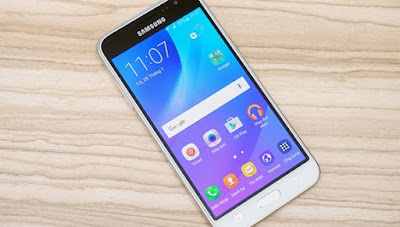
J320R4TYU1APE1 is based on the latest Marshmallow 6.0.1 for the Galaxy J3 2016 US Cellular SM-J320R4.
Follow our guide below to download the update and install it yourself.
The Update brings the following changes:
•The security of your device has been improved.
•Device stability improvements, bug fixes.
•New and / or enhanced features.
•Further improvements to performance.
| Model | SM-J320R4 |
| Model name | |
| Country | USA |
| Version | Android 6.0.1 |
| Changelist | 7827915 |
| Build date | Mon, 02 May 2016 05:20:14 +0000 |
| Product code | USC |
| PDA | J320R4TYU1APE1 |
| CSC | J320R4USC1APE1 |
View my Flipboard Magazine.
*Disclaimer:Custom ROM fix ® provide various Firmware Updates and Rooting process along with Custom ROM,Modes,file are all belong to their owners/developers. The autor of this site or the developers are not responsible, if you damage or brick your device.Do it on your own risk and follow the instruction properly.
* Important:
Backup important files stored on your device before proceeding with the steps below, so that in case something goes wrong you’ll have backup of all your important files.
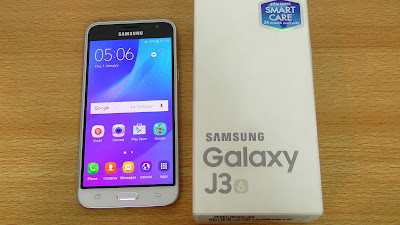
How To Update Galaxy J3 2016 US Cellular SM-J320R4 to Marshmallow 6.0.1 TYU1APE1 Stock Firmware .
Download Samsung Galaxy J3 2016 US Cellular SM-J320R4 TYU1APE1 Firmware .
1- Extract (unzip) the firmware file
2- Download Odin v3.10.7
3- Extract Odin ZIP file
4- Open Odin v.3.10.6
5- Reboot Phone in Download Mode (press and hold Home + Power + Volume Down buttons)
6- Connect phone and wait until you get a blue sign in Odin
7- Add the firmware file to AP / PDA
Make sure re-partition is NOT ticked
8- Click the start button, sit back and wait few minutes.
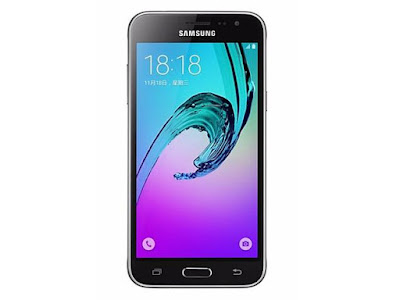
That’s it! Your Galaxy J3 2016 US Cellular SM-J320R4 should now have Marshmallow 6.0.1 Uodate on your phone! Go to Settings > About phone to verify.
Like this post? PLZ Hit the share buttons below to share this article with your friends on Facebook, Google + and Twitter.
PLZ Follow Us On Flipboard 4 More Galaxy J3 2016 US Cellular SM-J320R4 Latest Updates.
PLZ Use the comment box below to contribute more ideas & Suggestions .
Best Regards.
Monday, July 25, 2016
Best and Low cost Internet Data Plan For All Smartphone and PC In April 2016
Hi guys, Im sorry for letting this come in late, but it is better late than never, right? It has been a while I reviewed the best and affordable internet data plans for all Smartphones/PC, but in the last 30days, there are lots of change in NG internet data plans, so this review is very necessary. The Nigeria internet provider made things hard for us this day, some of our cheapest and uncapped data plans have been interrupted, while new and disfavored ones are being introduced.

No matter how hard, we just have to be online. Today, Id brief you guys with the best and low-cost internet data plan which I hope they really nice for you to enjoy in this new month. This code were all tested and running fine as at the time of posting and it covers GLO, MTN, Airtel and Etisalat Nigeria Networks.
GLO NIGERIA
Let me start with Glo, because their are lots of change in their data plan.
Glo Blackberry Plans: Glo bis plan has been scaled down to 2GB For N1,000. Their 3GB bis plan is now N1,400 and N1,500 respectively. I tried their 3GB of N1,400, the way they are deducting its megabytes not fear at all, its zaps data a lot while their 3GB of N1,500 plan doesn’t zap the data any how, it is ok than the one of N1,400. To Subscribe for any of this plan;
Dial *777*21# For 2GB, it cost N1,000
Dial *777*23# For 3GB and it cost N1,500 or dial *777# and follow the prompt respectively. It works on BB10 and Android devices whose IMEI has been tweaked to BB IMEI.
For other Device users, check out the below data plans
Glo has upgraded their 1.2GB data plan of N1000 to 1.5GB and N2000 Data From 2.5GB to 3GB. You can now get Glo 1500MB for N1,000.
Other Available Glo Data Plan Via *777#
To subscribe for any of the above plan, load the required amount on your Glo Sim and dial *777#, then follow the prompt to choose your selection:
MTN NIGERIA
MTN BB10 plans are the best unlimited cheapest data plan that we have been using for long, all of our sure VPNs are now tracked down by MTN, unlimited surfing with affordable price are not easy for now. MTN Music plus is what we are using as an alternative to BB10 plans for now on PC, Mac, Android and iOS devices, N15 airtime is only what you need to get 150MB.
Though some are complaining that MTN Music+ for N15 is no more working. This is to let you know that MTN Music+ is still working fine, just that it required new scope before you can be able to received the 150mb from MTN.
New Scope to Subscribe for MTN Music+ of 150MB
» Make sure you have only N15 airtime in your MTN Sim (Dont put much airtime in your sim to avoid N75 deduction unnecessarily)
» Text C to 5900
» You will received an sms from 58001102, make sure you reply with the word YES
That is all.
After you exhaust your 150mb and you wish to renew it new, send cancel7c to 5900 to unsubscribe the plan, then repeat the above process again for another 150mb.
Another Means of Surfing Unlimted - MTN Unlimted Data Promo With Just #150
It is a perfect data plan for heavy downloading/streaming, but unfortunately, MTN N150 unlimited data plan is for selected MTN sim cards. If your MTN Sim is among of the lucky Sim cards. You might have received a message from MTN asking you to load N150 and enjoy unlimited browsing. You can as well try dialing the code just in case you think you might have missed the SMS.
To Know If Your Sim is Eligible
Dial *567*59# and reply with 1 to activate it if you are eligible, then you are good to go
Other Available MTN Data Plans
AIRTEL NIGERIA
Airtel new data offer with N2,000 you can get 4.5GB data, but unfortunate not all Airtel lines will be able to accept this offer, simply dial *440*161# to verify.
Airtel 1+1 Offer is Back - For those who need much data, you can now subscribe to Airtel 9GB with N3,500 and the plan will last for 2months. This is not a new plan, it was launched in October 2014. Initially, this plan was officially stopped, but is back again. As usual, not all sim are eligible for this offer, simply dial *438*1# to check if you are eligible.
Airtel Weekend Bundle: 1024MB (1GB), for just N100, dial *474*1# to activate.
Other Available Airtel Data Plans
ETISALAT NIGERIA
» Etisalat Smart/Chatpak Tweak still working on Android device and PC.
Do you know any other Best and Affordable data plan? Kindly share it with us via comment box.
No matter how hard, we just have to be online. Today, Id brief you guys with the best and low-cost internet data plan which I hope they really nice for you to enjoy in this new month. This code were all tested and running fine as at the time of posting and it covers GLO, MTN, Airtel and Etisalat Nigeria Networks.
GLO NIGERIA
Let me start with Glo, because their are lots of change in their data plan.
Glo Blackberry Plans: Glo bis plan has been scaled down to 2GB For N1,000. Their 3GB bis plan is now N1,400 and N1,500 respectively. I tried their 3GB of N1,400, the way they are deducting its megabytes not fear at all, its zaps data a lot while their 3GB of N1,500 plan doesn’t zap the data any how, it is ok than the one of N1,400. To Subscribe for any of this plan;
Dial *777*21# For 2GB, it cost N1,000
Dial *777*23# For 3GB and it cost N1,500 or dial *777# and follow the prompt respectively. It works on BB10 and Android devices whose IMEI has been tweaked to BB IMEI.
For other Device users, check out the below data plans
Glo has upgraded their 1.2GB data plan of N1000 to 1.5GB and N2000 Data From 2.5GB to 3GB. You can now get Glo 1500MB for N1,000.
To Subscribe
» Load N1000 on your Glo Sim for 1.5GB or N2000 for 3GB, dial *777#, then choose Data Services » Buy Data » Monthly Plans.
» Valid for 30 days
Other Available Glo Data Plan Via *777#
- N2,500 = 4.5GB 30 days
- N3000 = 6GB 30 days
- N4000 = 9GB 30 days
- N5,000 = 12GB 30 days
- N8,000 = 24GB 30 days
- N10,000 = 17GB 30 days
- N15,000 = 2.5GB 30 days
- N18,000 = 21GB 30 days
To subscribe for any of the above plan, load the required amount on your Glo Sim and dial *777#, then follow the prompt to choose your selection:
Glo Night and weekend Data Plan:
If you have big file to download over the net or you are such that always surf during the midnight, Globacom now offer you a cheap bundle to enjoy.
1. Night Plan: N200 for 1GB 1 Day (12.00am – 5.00am)
2. Weekend Plan: N500 for 3GB for Saturday and Sunday +7Nights from 12am to 5am.
To Subscribe For Glo Night or Weekend Plan
» Simply dial *777# and follow the prompt [Data Services » Buy Data » Night and Weekend plans], then select 1 for Night plan or 2 for weekend plan.
MTN NIGERIA
MTN BB10 plans are the best unlimited cheapest data plan that we have been using for long, all of our sure VPNs are now tracked down by MTN, unlimited surfing with affordable price are not easy for now. MTN Music plus is what we are using as an alternative to BB10 plans for now on PC, Mac, Android and iOS devices, N15 airtime is only what you need to get 150MB.
Though some are complaining that MTN Music+ for N15 is no more working. This is to let you know that MTN Music+ is still working fine, just that it required new scope before you can be able to received the 150mb from MTN.
New Scope to Subscribe for MTN Music+ of 150MB
» Make sure you have only N15 airtime in your MTN Sim (Dont put much airtime in your sim to avoid N75 deduction unnecessarily)
» Text C to 5900
» You will received an sms from 58001102, make sure you reply with the word YES
That is all.
After you exhaust your 150mb and you wish to renew it new, send cancel7c to 5900 to unsubscribe the plan, then repeat the above process again for another 150mb.
Another Means of Surfing Unlimted - MTN Unlimted Data Promo With Just #150
It is a perfect data plan for heavy downloading/streaming, but unfortunately, MTN N150 unlimited data plan is for selected MTN sim cards. If your MTN Sim is among of the lucky Sim cards. You might have received a message from MTN asking you to load N150 and enjoy unlimited browsing. You can as well try dialing the code just in case you think you might have missed the SMS.
To Know If Your Sim is Eligible
Dial *567*59# and reply with 1 to activate it if you are eligible, then you are good to go
Other Available MTN Data Plans
- For 2GB: Send “SPB to 131” in a text message. Cost N2,000, valid for 30 days.
- For 2,015MB - MTN Better Me Data Plan: Text ‘SPB to 131’. Cost N2,015, valid for 30 days.
- For 4.5GB Day and Night Plan: Send ”120 to 131” in a message or dial *131*1*5*1#. Cost N2,500, valid for 30 days. Note: The is a new development on MTN Night Plan. It separated the bonus 1.5GB and the 3GB, data will be deduct only on 1.5GB at day time and from 3GB between 9pm to 6am
AIRTEL NIGERIA
Airtel new data offer with N2,000 you can get 4.5GB data, but unfortunate not all Airtel lines will be able to accept this offer, simply dial *440*161# to verify.
Airtel 1+1 Offer is Back - For those who need much data, you can now subscribe to Airtel 9GB with N3,500 and the plan will last for 2months. This is not a new plan, it was launched in October 2014. Initially, this plan was officially stopped, but is back again. As usual, not all sim are eligible for this offer, simply dial *438*1# to check if you are eligible.
Airtel Weekend Bundle: 1024MB (1GB), for just N100, dial *474*1# to activate.
Dial 140# to check data balance.
Note: It can only be use on Weekends (Sat – Sun).
Note: It can only be use on Weekends (Sat – Sun).
Other Available Airtel Data Plans
- For 1GB Data plan: dial *141*1*3# to subscribe, cost N1,000 and valid for 30 days.
- For 3GB - BB plan, but work for all device: dial *440*16# to subscribe, cost N1,500 and valid for 30 days.
- For 4GB - Android Bundle: dial *437*1# Cost N2,000 and valid for 30 days.
- For 9GB - Android Bundle: dial *438*1# Cost N3,500, Valid for 30days.
- For 1GB Android Bundle, dial *496#, cost N1,000, valid for 30days, .
ETISALAT NIGERIA
- For 1GB: dial *929*9#, cost N1000 and last for 30 days.
- For 1GB: dial *229*10*10#, cost N500 and last for 24 hours. This plan known as an emergency plan.
- For 1GB: dial *5995*2#, cost N1,000. Last for 3 Days (Weekends plan).
- For 2GB: dial *229*2*8#, cost N2,000, validity for 30days.
» Etisalat Smart/Chatpak Tweak still working on Android device and PC.
Do you know any other Best and Affordable data plan? Kindly share it with us via comment box.
Guide Hard Reset Samsung Galaxy J1 2016 To Restore Factory Setting Remove Forgot Pattern PIN Password
[Guide] Hard Reset Samsung Galaxy J1 2016 To Restore Factory Setting & Remove Forgot Pattern/PIN/Password.
Hard Reset Samsung Galaxy J1 2016. Samsung Galaxy J1 2016 has this version (J120F (Global); J120H, J120M, J120M, J120T), and this Android Smartphone Also known as Samsung Galaxy J1 (2016) Duos with dual-SIM card slots. This device is released on January, 2016. And todays guidebelajar will explain to you how to perform hard reset on Samsung Galaxy J1 2016 smartphone. Please keep in mind, this tutorial will erase all data saved on your internal memory. Samsung Galaxy J1 2016 is the smartphone with 4,5 Inchi Super AMOLED capacitive touchscreen, 16M colors, work on Android OS, v5.1.1 (Lollipop), and supported with Processor Quad-core 1.3 GHz Cortex-A7, Exynos 3475 Quad chipset, Mali-T720 GPU, combined with 1 GB of RAM, 5 MP on primary camera and 2 MP on secondary camera to capture best moment and make a selfie on your life.
Most of Android user say that Hard reset process is call with master reset or factory reset. Many people asking why shoud we perform hard reset to our phone. The logical answer that can I say for this asking is :
Most of Android user say that Hard reset process is call with master reset or factory reset. Many people asking why shoud we perform hard reset to our phone. The logical answer that can I say for this asking is :
- There are many bug on Samsung Galaxy J1 2016.
- Samsung Galaxy J1 2016 has a persistent problem that cannot be solved.
- Because we will sell our Samsung Galaxy J1 2016 Android phones
- We want to remove all personal data and setting that was stored in Samsung Galaxy J1 2016.device.
- Our Samsung Galaxy J1 2016 has been lagging and stuck on android logo, this call with bootloop
- We have forgotten on PIN or Patern Lock at Samsung Galaxy J1 2016.
- We will give our Samsung Galaxy J1 2016 away to some one else, and we dont want that one know everything about our secret data, so we have to erase all data before back up it.
- and many other reason.
1st Methode. Hard Reset Samsung Galaxy J1 2016 Using Menu :
- Make sure your batery is fully charged, Recomended you have 80% of battery capacity
- Then Backup your Samsung Galaxy J1 2016. See This Guide
- Go to menu: System Setting >
- Select Backup and Reset >
- Factory Data Reset >
- Reset Phone
- Choose Erase everything to confirm that you already to perform hard reset on Samsung Galaxy J1 2016
- Samsung Galaxy J1 2016 will continue to hard reset process to restore factory default.
2ndMethode. Hard Reset Samsung Galaxy J1 2016 Using Hardware Keys:
- Make sure your battery is fully charged, we recomended that your battery has 80% power
- Always BackUp your important data that store in Samsung Galaxy J1 2016. see this guide
- Turn Off your Samsung Galaxy J1 2016 by hold and press Power Button for a second.
- Release any SIM card and SD card that was installed on your Samsung Galaxy J1 2016 smartphone.
- Then press and hold together a combination button Volume Up + Home Button + Power button at same time for a seconds.

Hard Reset Samsung Galaxy J1 2016 - Then you will see Samsung Galaxy J7 Logo. On this step release Power Button only, while keep holding Volume Up and Home Button.

Samsung Galaxy J1 2016 Logo - When Android Logo appear on your screen. You must release all button.

Android Logo - hard reset samsung galaxy J1 2016 - And now you will enter, Android System Recovery.
Android System Recovery - Scroll down using Power Down button, and you can select "wipe data/factory reset" and confirm it using Power Button.
wipe data - Hard Reset - Then select "Yes ---Delete All User Data". use volume down button to choice menu, and again confirm it using Power Button. Please be ware, on this this step you will be lost everything stored on your phone. So, make sure to always backup all data before performing hard reset.
yes delete all user data - Now, wait the process untill you see data wipe complete appear on screen.
wipe data process - After a few minute hard reset process will finished, and your screen will be back to Android System recovery screen.
- Now, Select Reboot System Now to reboot your device.
Reboot System Now - You can wait a while for Samsung Galaxy J1 2016 to reboot system
- Done, your hard reset process success now.


Video Guide.
Sunday, July 24, 2016
DOTA Boy passed the May 2016 Certified Public Accountant
ILOCOS NORTE - Some say that addiction to online video games cuts students interest in school. But 22-year-old Renz Fernandez has proven this wrong.
Fernandez, who hails from Barangay 23, Sarrat, Ilocos Norte, is among the 2,967 people who passed the May 2016 Certified Public Accountant (CPA) Licensure Examination.
Admittedly an online video game addict, Fernandez said he usually spent an average of 3 to 4 hours -- at times, 12 hours -- playing DOTA before doing his assignments or reviewing for exams during his days at the Divine World College of Laoag.

Even when he was already reviewing for his board exam, he still had time for DOTA, he said.
According to Fernandez, DOTA served as his stress reliever. He said the video game helped him do school work more enjoyably and without feeling drained.
He added he found it unhealthy focusing too much on studies.
Fernandez, who is fondly called "DOTA boy" by his family and friends, stressed that students need to find balance between studies and leisure. Time management is the key, he said.
"Hindi naman maganda kung puro studies, kung puro laro. Dapat sakto lang," he said.
I also remembered a girl who finance his own colleges by streaming Online Games.
Fernandez, who hails from Barangay 23, Sarrat, Ilocos Norte, is among the 2,967 people who passed the May 2016 Certified Public Accountant (CPA) Licensure Examination.
Admittedly an online video game addict, Fernandez said he usually spent an average of 3 to 4 hours -- at times, 12 hours -- playing DOTA before doing his assignments or reviewing for exams during his days at the Divine World College of Laoag.
Even when he was already reviewing for his board exam, he still had time for DOTA, he said.
According to Fernandez, DOTA served as his stress reliever. He said the video game helped him do school work more enjoyably and without feeling drained.
He added he found it unhealthy focusing too much on studies.
Fernandez, who is fondly called "DOTA boy" by his family and friends, stressed that students need to find balance between studies and leisure. Time management is the key, he said.
"Hindi naman maganda kung puro studies, kung puro laro. Dapat sakto lang," he said.
I also remembered a girl who finance his own colleges by streaming Online Games.
Friday, July 22, 2016
How To Update Galaxy J5 2016 SM J510FN to Official Marshmallow 6 0 1 XXU1APD3 Firmware
Today Samsung Currently Pushing XXU1APD3 Update to the Galaxy J5 (2016) SM-J510FN on its network (Italy) that includes a security update, as well as now displaying which security patch your phone has and bug fixes. It is recommended you keep your device updated to the latest software so that you don’t experience any flaws or drops in reliability.

J510FNXXU1APD3 is based on the latest Marshmallow 6.0.1 for the Galaxy J5 (2016) SM-J510FN
Follow our guide below to download the update and install it yourself.
The Update brings the following changes:
•The security of your device has been improved.
•Device stability improvements, bug fixes.
•New and / or enhanced features.
•Further improvements to performance.
| Model | SM-J510FN |
| Model name | |
| Country | Italy (TIM) |
| Version | Android 6.0.1 |
| Changelist | 7707250 |
| Build date | Mon, 04 Apr 2016 10:04:56 +0000 |
| Product code | TIM |
| PDA | J510FNXXU1APD3 |
| CSC | J510FNTIM1APD1 |
View my Flipboard Magazine.
*Disclaimer:Custom ROM fix ® provide various Firmware Updates and Rooting process along with Custom ROM,Modes,file are all belong to their owners/developers. The autor of this site or the developers are not responsible, if you damage or brick your device.Do it on your own risk and follow the instruction properly.
* Important:
Backup important files stored on your device before proceeding with the steps below, so that in case something goes wrong you’ll have backup of all your important files.

How To Update Galaxy J5 (2016) SM-J510FN to Official Marshmallow 6.0.1 XXU1APD3 Firmware .
Download Samsung Galaxy J5 (2016) SM-J510FN XXU1APD3 Firmware .
1- Extract (unzip) the firmware file
2- Download Odin v3.10.7
3- Extract Odin ZIP file
4- Open Odin v.3.10.6
5- Reboot Phone in Download Mode (press and hold Home + Power + Volume Down buttons)
6- Connect phone and wait until you get a blue sign in Odin
7- Add the firmware file to AP / PDA
Make sure re-partition is NOT ticked
8- Click the start button, sit back and wait few minutes.

That’s it! Your Samsung Galaxy J5 (2016) SM-J510FN should now have Marshmallow 6.0.1 on your phone! Go to Settings > About phone to verify.
Like this post? PLZ Hit the share buttons below to share this article with your friends on Facebook, Google + and Twitter.
PLZ Follow Us On Flipboard 4 More Galaxy J5 (2016) SM-J510FN Latest Updates.
PLZ Use the comment box below to contribute more ideas & Suggestions .
Best Regards.
Thursday, July 21, 2016
Tuesday, July 19, 2016
2016 EMMC CWM MAGIC CREATE FOR MTD
The CWM Magic Create for mtd emmc ubifs or custpack partition ( If Porting 720p, must be on Windows 7 or Windows 8 )
DOWNLOAD HERE
Hard Reset Samsung Galaxy A3 2016 To Restore Factory Setting Remove Forgot Pattern PIN Password Guide
Hard Reset Samsung Galaxy A3 2016 To Restore Factory Setting & Remove Forgot Pattern/PIN/Password [Guide].
Hard Reset Samsung Galaxy A3 2016. Samsung Galaxy A3 2016 has this version (A310Y (Taiwan), A310M (Latin America), A310F (Europe)), and this Android Smartphone Also known as Samsung Galaxy A3 (2016) Duos with dual-SIM card slots. This device is released on December, 2015. And todays guidebelajar will explain to you how to perform hard reset on Samsung Galaxy A3 2016 smartphone. Please keep in mind, this tutorial will erase all data saved on your internal memory. Samsung Galaxy A3 2016 is the smartphone with 4,7 Inchi Super AMOLED capacitive touchscreen, 16M colors, work on Quad-core 1.5 GHz Cortex-A53, and supported with Processor Quad-core 1.2 GHz Cortex-A33 & Quad-core 1.5 GHz Cortex-A33, Qualcomm MSM8916 Snapdragon 410 chipset, Adreno 306 GPU, combined with 1,5 GB of RAM, 13 MP on primary camera and 5 MP on secondary camera to capture best moment and make a selfie on your life.
Most of Android user say that Hard reset process is call with master reset or factory reset. Many people asking why shoud we perform hard reset to our phone. The logical answer that can I say for this asking is :
Most of Android user say that Hard reset process is call with master reset or factory reset. Many people asking why shoud we perform hard reset to our phone. The logical answer that can I say for this asking is :
- There are many bug on Samsung Galaxy A3 2016.
- Samsung Galaxy A3 2016 has a persistent problem that cannot be solved.
- Because we will sell our Samsung Galaxy A3 2016 Android phones
- We want to remove all personal data and setting that was stored in Samsung Galaxy A3 2016.device.
- Our Samsung Galaxy A3 2016 has been lagging and stuck on android logo, this call with bootloop
- We have forgotten on PIN or Patern Lock at Samsung Galaxy A3 2016.
- We will give our Samsung Galaxy A3 2016 away to some one else, and we dont want that one know everything about our secret data, so we have to erase all data before back up it.
- and many other reason.
1st Methode. Hard Reset Samsung Galaxy A3 2016 Using Menu :
- Make sure your batery is fully charged, Recomended you have 80% of battery capacity
- Then Backup your Samsung Galaxy A3 2016. See This Guide
- Go to menu: System Setting >
- Select Backup and Reset >
- Factory Data Reset >
- Reset Phone
- Choose Erase everything to confirm that you already to perform hard reset on Samsung Galaxy A3 2016
- Samsung Galaxy A3 2016 will continue to hard reset process to restore factory default.
2ndMethode. Hard Reset Samsung Galaxy A3 2016 Using Hardware Keys:
- Make sure your battery is fully charged, we recomended that your battery has 80% power
- Always BackUp your important data that store in Samsung Galaxy A3 2016. see this guide
- Turn Off your Samsung Galaxy A3 2016 by hold and press Power Button for a second.
- Release any SIM card and SD card that was installed on your Samsung Galaxy A3 2016 smartphone.
- Then press and hold together a combination button Volume Up + Home Button + Power button at same time for a seconds.

Hard Reset Samsung Galaxy A3 2016 - Then you will see Samsung Galaxy J7 Logo. On this step release Power Button only, while keep holding Volume Up and Home Button.

Samsung Galaxy A3 2016 Logo - When Android Logo appear on your screen. You must release all button. it will take a while untill the device enter Android System Recovery

Android Logo - hard reset samsung galaxy A3 2016 - And now you will enter, Android System Recovery.
Android System Recovery - Scroll down using Power Down button, and you can select "wipe data/factory reset" and confirm it using Power Button.
wipe data - Hard Reset - Then select "Yes ---Delete All User Data". use volume down button to choice menu, and again confirm it using Power Button. Please be ware, on this this step you will be lost everything stored on your phone. So, make sure to always backup all data before performing hard reset.
yes delete all user data - Now, wait the process untill you see data wipe complete appear on screen.
wipe data process - After a few minute hard reset process will finished, and your screen will be back to Android System recovery screen.
- Now, Select Reboot System Now to reboot your device.
Reboot System Now - You can wait a while for Samsung Galaxy A3 2016 to reboot system
- Done, your hard reset process success now.


Video Guide.
Subscribe to:
Posts (Atom)